GoodApps / Serverbox

Server management
Serverbox
Your servers.
One command center.
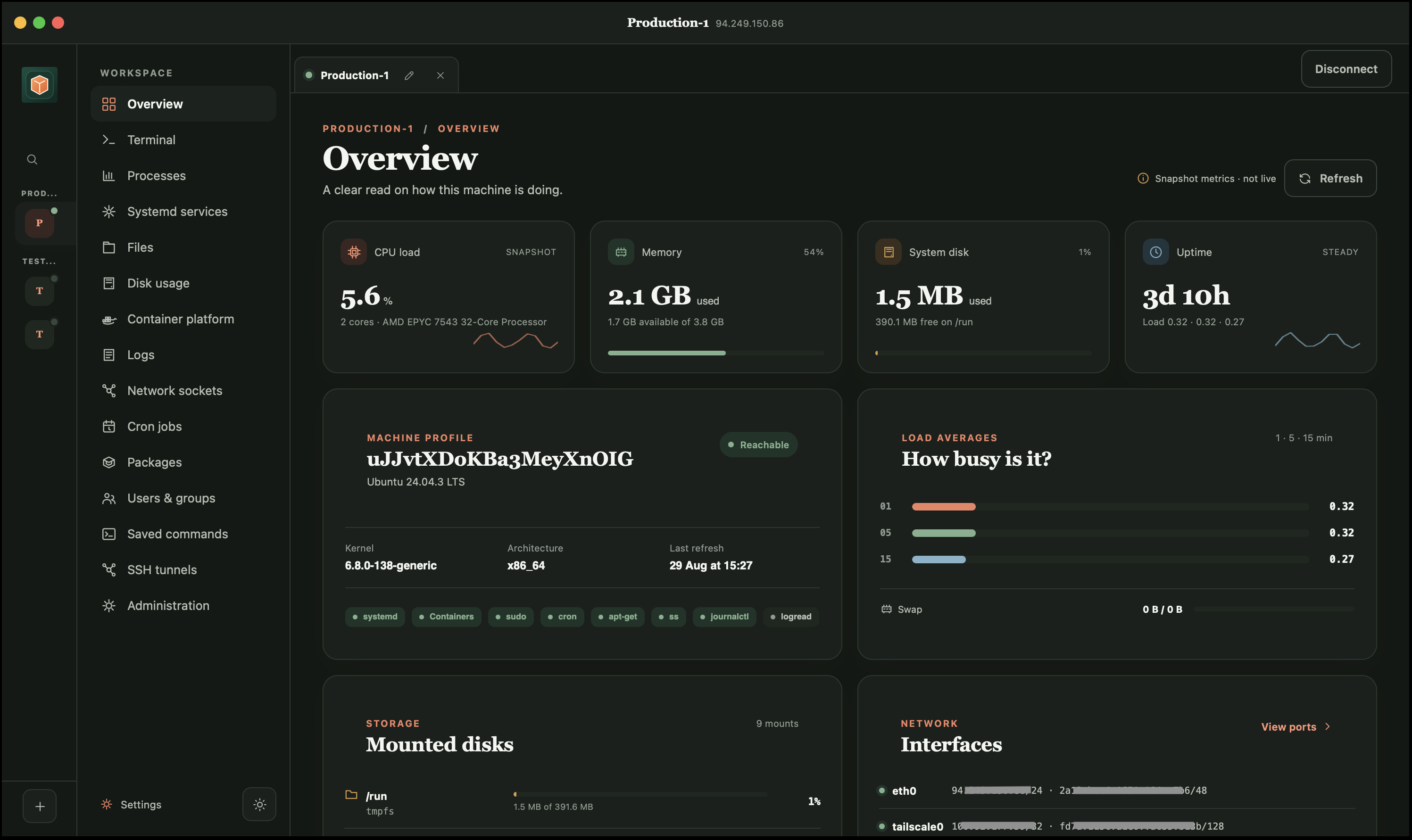
Connect over SSH and put terminals, remote files, containers, and monitoring in one desktop workspace. Spend less time switching tools and more time getting things done.
Free replacement for Termius and Tabby.
v0.1.0 · macOS, Windows, Linux · Free & open-source
Free & open-source No account needed · Downloads on GitHub
- Availability
- Free and open-source
- Source code
- View on GitHub
- Alternative to
- Termius Pro / Royal TSX
- Platforms
- macOS, Windows, Linux
Less switching. More control.
- Connect over SSH — Multiple servers with password or key authentication, SSH config import, and bastion routes. Secrets stay in an encrypted local vault.
- Terminals, files & processes — Persistent tabbed SSH terminals, SFTP browsing, process and service management, logs, ports, and connections.
- Containers & automation — Docker and Podman containers, images, volumes, logs, Compose projects, crontabs, UFW/firewalld rules, and more.
External requests
- App-specific activity: SSH connections send authentication proofs, your commands, and requested server data to the servers you configure.
Get started with Serverbox.
Choose your computer below to download the installer directly. Most Windows and Linux PCs use Intel / AMD. For Macs, check Apple menu → About This Mac: an Apple M-series chip means Apple silicon; an Intel processor means Intel.
First-launch tips
- macOS: drag the app into Applications, then try opening it. For an unidentified developer prompt, go to System Settings → Privacy & Security → Open Anyway, if offered. If macOS says the app is damaged, download a fresh copy using the links above. If the warning persists, follow the Terminal steps in the security warning above .
- Windows: if SmartScreen prompts, choose More info, then Run anyway .
- Linux: AppImage is portable — mark it executable and run it.
Keep exploring