GoodApps / rsedit

rsedit
Big files.
Fast edits.
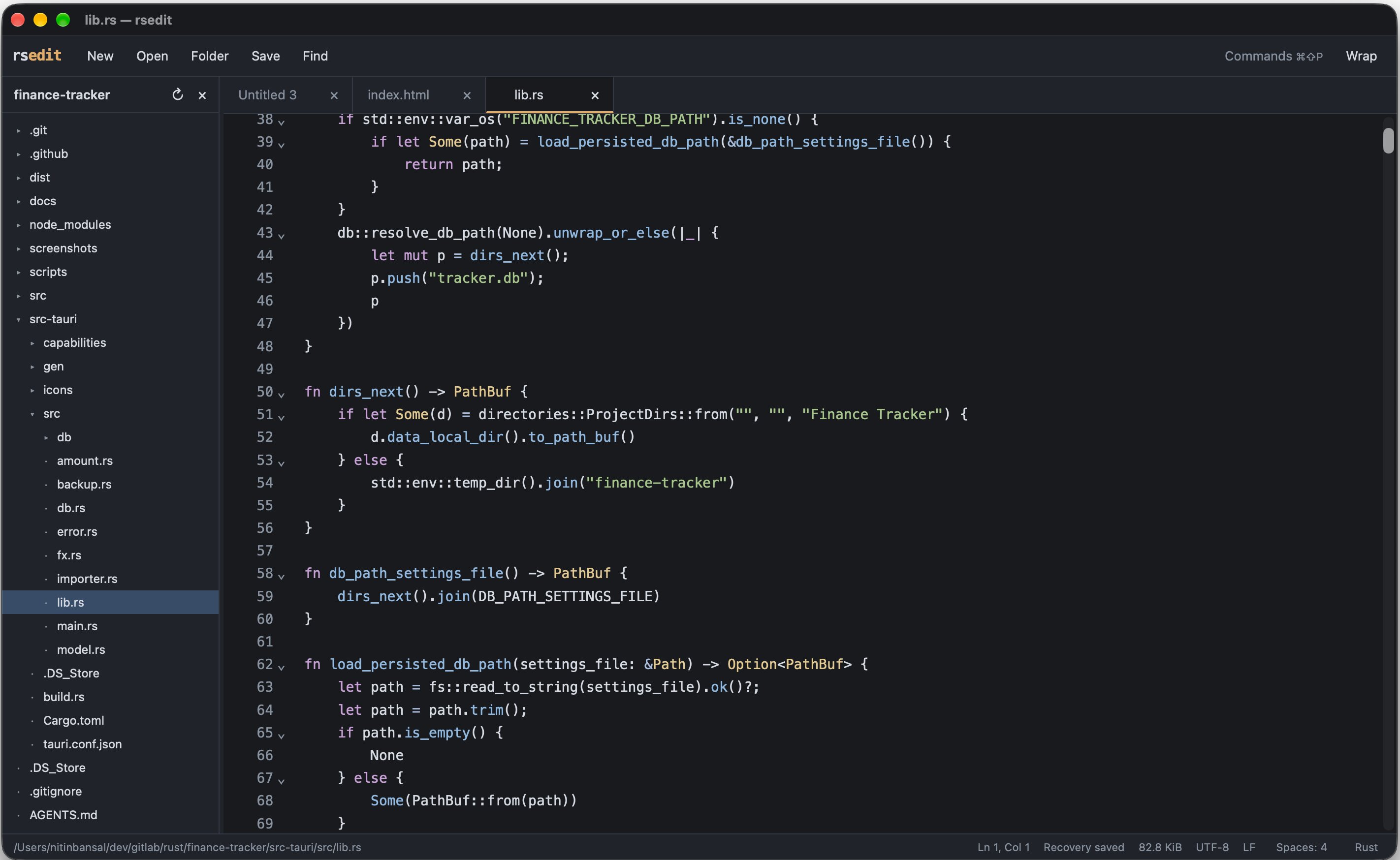
Open a file. Edit it. Get on with your work. A fast text editor with a Rust file engine, keyboard shortcuts, and section editing for multi-GB files.
Free replacement for Sublime Text and Notepad++.
v0.1.10 · macOS, Windows, Linux · Free & open-source
Free & open-source No account needed · Downloads on GitHub
- Availability
- Free and open-source
- Source code
- View source on GitHub
- Platforms
- macOS, Windows, Linux release targets
- Built with
- Rust file engine, Tauri, CodeMirror
- Your files
- Local. No account or app telemetry.
Multi-GB files. A second or two is the goal.
RSedit is designed to open multi-GB text files within a second or two by loading the first editable section immediately. It keeps the rest on disk, so you can start working without waiting for the entire file to load or be indexed.
In a local macOS Apple silicon probe, a 3 GiB file reached its first native view in 1.34 seconds from Rust entry. An open request in the running app took 132 ms. These measurements exclude process-loader time and are not first-paint measurements. Performance varies by machine and storage; Windows and Linux runtime performance remains unverified.
The essentials, done well
- Fast by design — Rust handles file reads, search, and saves on workers. Language parsers load only when needed. Folders expand on demand.
- Keyboard first — tabs, a command palette, quick file switching, multiple cursors, and find/replace with regex for regular files and loaded sections.
- Pick up where you left off — orderly quit keeps unsaved buffers and open tabs. Reopen up to 50 closed tabs.
- Keep it simple — no accounts, extensions, language servers, background indexing, or startup network calls.
Get started with rsedit.
Installers for v0.1.10 are available below. Choose your computer to download the installer directly. We show your platform first. Most Windows and Linux PCs use Intel / AMD. For Macs, check Apple menu → About This Mac: an Apple M-series chip means Apple silicon; an Intel processor means Intel.
First-launch tips
- macOS: drag the app into Applications, then try opening it. For an unidentified developer prompt, go to System Settings → Privacy & Security → Open Anyway, if offered. If macOS says the app is damaged, download a fresh copy using the links above. If the warning persists, follow the Terminal steps in the security warning above .
- Windows: choose More info → Run anyway if offered. ( About SmartScreen )
-
Linux AppImage:
allow execution in your file manager, or run
chmod +xon the file, then open it. Alternatively, install the DEB or RPM package for your distro.
Verified locally on macOS Apple silicon. The release workflow targets all six platform/architecture combinations; Windows/Linux builds and native interactions have not yet been verified.
External requests
rsedit makes no startup network calls and sends no app telemetry. File editing, search, and session recovery stay on your machine. This website uses the same analytics as the rest of the GoodApps store; downloads are hosted on GitHub.
FAQ
Is the whole editor written in Rust?
The file engine is Rust. The interface uses Tauri with a small TypeScript frontend and CodeMirror
for editing and syntax highlighting.
Does it replace Sublime Text?
rsedit follows the same preference for speed, keyboard shortcuts, and a focused interface. It is an
independent app with its own feature set, not a compatible implementation of Sublime Text or its
plugins.
Will it restore unsaved work?
Yes. Recovery checkpoints run every 30 seconds and on orderly quit. Individual unsaved tab closes
still ask before closing. Force quits and crashes restore the last completed checkpoint; newer edits
can be lost.
Can I edit any file?
rsedit supports UTF-8 text, including BOM and LF/CRLF. Binary and UTF-16 files are rejected. Large
files open in sections, and saving a large file requires temporary disk space for the entire result.
Keep exploring